Students talk to colleagues who each hold a different part of the information.
Students enter an office in the browser and talk freely with AI-driven colleagues. Each colleague holds part of the information and has their own view of the case, so the student has to ask questions, weigh conflicting sources against each other and reach a conclusion within the time available. Nothing to install, and no account needed to try the demo.
What it looks like.
A student moves through the building, walks up to a colleague and starts a conversation. The images are screenshots of the simulations as they actually run.


What a session gives you.
Students do learn from taking part. But that is not the main reason the tool exists. A session gives you three things you would otherwise have to create yourself.
Research data from a controlled setting
Every line of dialogue is logged. You can give two groups exactly the same facts and vary one thing between them — for instance whether the organisation feels flat or hierarchical — and see what that difference does to the flow of information. It is an experimental design, not a survey, and the dataset can be exported as a file. Storing data for research requires the student’s explicit consent.
Practice in a realistic setting
The student faces conflicting sources, incomplete information and a clock that keeps running. They have to decide whom they have time to talk to, and reach a conclusion without having everything. That is hard to practise with a multiple-choice question, and how they handle it is exactly what you get to see.
Something concrete to discuss afterwards
After the session you have what each student actually asked about, whom they sought out, what they never found out and what they concluded. That makes for a debrief about what happened in the room, rather than about what students think they would have done.
How to set up a session.
You do the set-up yourself, in the browser. Students get a link and a code when the session starts.
1 · Set up the simulation
Use a ready-made simulation as it is, or describe your own situation in your own words. The AI suggests colleagues, personalities and who knows what, and you edit field by field before anything reaches your students.
2 · Run the session in class
Share a code. Students sign in with their name and student number — no app, and nothing to install in advance. You can see who has joined while the session is running.
3 · Student preparation
None. They get a link and a code just before the session starts, and do not need to have done anything beforehand.
Ten office spaces, and simulations without a map.
Our simulations come in two forms. In the office simulations, the student moves through a building and seeks out colleagues who each hold part of the picture. In the dashboard simulations there is no building — the student manages a process from a single screen, over a simulated half-year or year, with too little time to do everything. Both forms rest on the same foundations: no answer key, and an organisation that responds differently depending on what the student does.
About the game engines we use →Ten offices have been built. Seven are ready to walk around in now.
The office simulations take place in ready-made premises: an office floor with meeting rooms and an open-plan area, a teaching building with a boardroom and classrooms, a simple meeting room with five chairs, an open-plan office around an aquarium, a floor with four departments along a corridor — and five more.
Loading the 3D view …
Seven of the offices are ready to walk around in: five in 3D and two seen from above. An executive meeting room for spoken dialogue is in progress, and two buildings have finished floor plans awaiting content. The five 3D offices are the ones you can build your own simulations in: you choose one, decide who sits where and describe the situation — the same room, but your case.
From idea to data.
This is the process for building your own office simulation. If you use a ready-made simulation, you start at step four.
- 01
Choose an office
One of the five 3D offices. The office determines which rooms and places exist, and how many colleagues there is room for.
- 02
Staff it, and describe the case
The number of colleagues, their names, seniority and where they stand are up to you. Then a few sentences about the company, the situation the student walks into and what is at stake.
- 03
Get a draft, and edit it
An AI assistant writes the title, scenario, learning outcomes and each colleague’s position — including what only they know — based on your staffing and description. It takes a couple of minutes. Everything can be changed afterwards, and you can save versions to return to.
- 04
Publish, and start a session
You give the session a name and a course code, and choose how much of the conversations to store: everything, only who talked to whom, or only how many messages and characters each participant wrote. The choice is locked for the session. You get a link, a code and a QR code for the screen; students need no account.
- 05
Follow the session, and export the data
You see the participants as the session runs, pseudonymised if you prefer. Afterwards you can download results, dialogue, a pass/fail list for compulsory activities and notes for feedback and debrief as CSV — and, if you intend to archive or analyse further, a codebook, Excel, JSON and transcripts. Only students who have given consent are included in the research export.
- Create an account →
Steps one to three apply to the office simulations. Dashboard simulations are not built in the builder; of those, EIS can currently be started as a session and followed in the same way.
When the case is a process, not a room.
Some problems are not about whom you talk to, but about what you prioritise when time runs short. The student has a budget — days, weeks or working hours — and a series of issues that arise over a simulated year. Handling an issue thoroughly costs more than handling it quickly, and what is set aside in the first quarter comes back in the third.
EIS →
The student is an internal change agent who has to get 22 managers to adopt a new decision-support system within 180 simulated days, without the authority to order it. Eighteen influence tactics, and a hidden network of who listens to whom. Can be run as a session with a whole cohort.
Regnskapsåret →
The accounting yearThe student is a financial controller through four quarters and faces accounting items where more than one treatment is defensible: revenue recognition, a construction contract, development costs, impairment. In the fourth quarter the auditor arrives, with a materiality threshold the student has not been shown.
Rapporteringsåret →
The reporting yearThe student is head of sustainability at a listed fish farming company and has to deliver its first report under the CSRD. Issues are drawn from a pool, so two students in the same cohort face partly different years. The simulation ends in an actual sustainability report, with the student’s own choices in the first part and, below a dividing line, the model answer in the second.
All three can be tried without an account, in Norwegian for now. EIS can be started as a session from the library today; the other two are for trial runs and seminars for the time being, without participant registration.
What is stored about students.
You choose for each session how much is stored: the full conversation, only who talked to whom and how much, or only how many messages and characters each participant wrote. The choice is made when you start the session. Each student also answers yes or no to whether what they say in the conversations may be used for research, and the answer accompanies every line in the export. Students do not need to create an account to take part — just a name, a student number and a code linked to your session. The database is hosted in the EU.
The academic foundations.
The simulations are built around four findings in organisation studies: how groups fail to share and combine information held only by individual members (the hidden profile problem), how the structure of a communication network determines whose information gets through (Leavitt), how departmental affiliation influences how people define the problem (Dearborn & Simon), and how decisions arise when problems, solutions and people meet by chance in time (the garbage can model). The simulations have no answer key. They recreate the blind spots these findings describe, so that students experience them before they read about them.
The team
Virtual AI Corp is built by people with backgrounds in organisational psychology, leadership research and teaching at the NMBU School of Economics and Business.
Get in touch: kontakt@virtualaicorp.no
 Frida Feyer
Psychologist, PhD from BI Norwegian Business School. Associate Professor of Organisation and Leadership at the NMBU School of Economics and Business.
 Bryndis Steindorsdottir
PhD from BI Norwegian Business School. Associate Professor of Organisation and Leadership at the NMBU School of Economics and Business. Her research covers career development and career success, lifespan development and diversity.
 Nicolay Worren
Doctorate from the University of Oxford. Professor of Organisation and Leadership at the NMBU School of Economics and Business. His research focuses particularly on organisation design.
 Mathias Smogeli
Student adviser and lecturer at the NMBU School of Economics and Business. Master’s degree from the NMBU School of Economics and Business. Teaches financial accounting with sustainability reporting.
We design the offices ourselves, floor by floor.
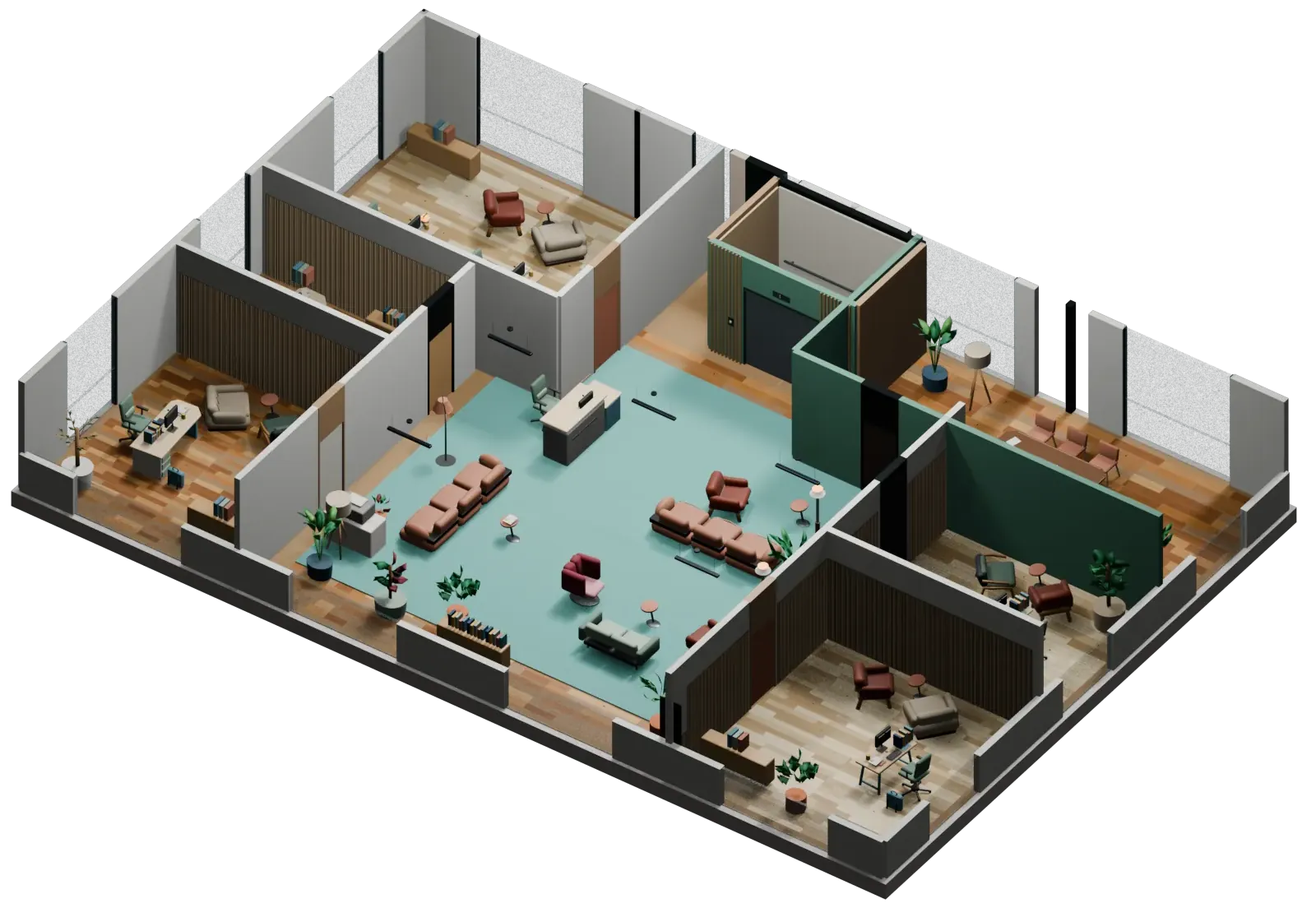
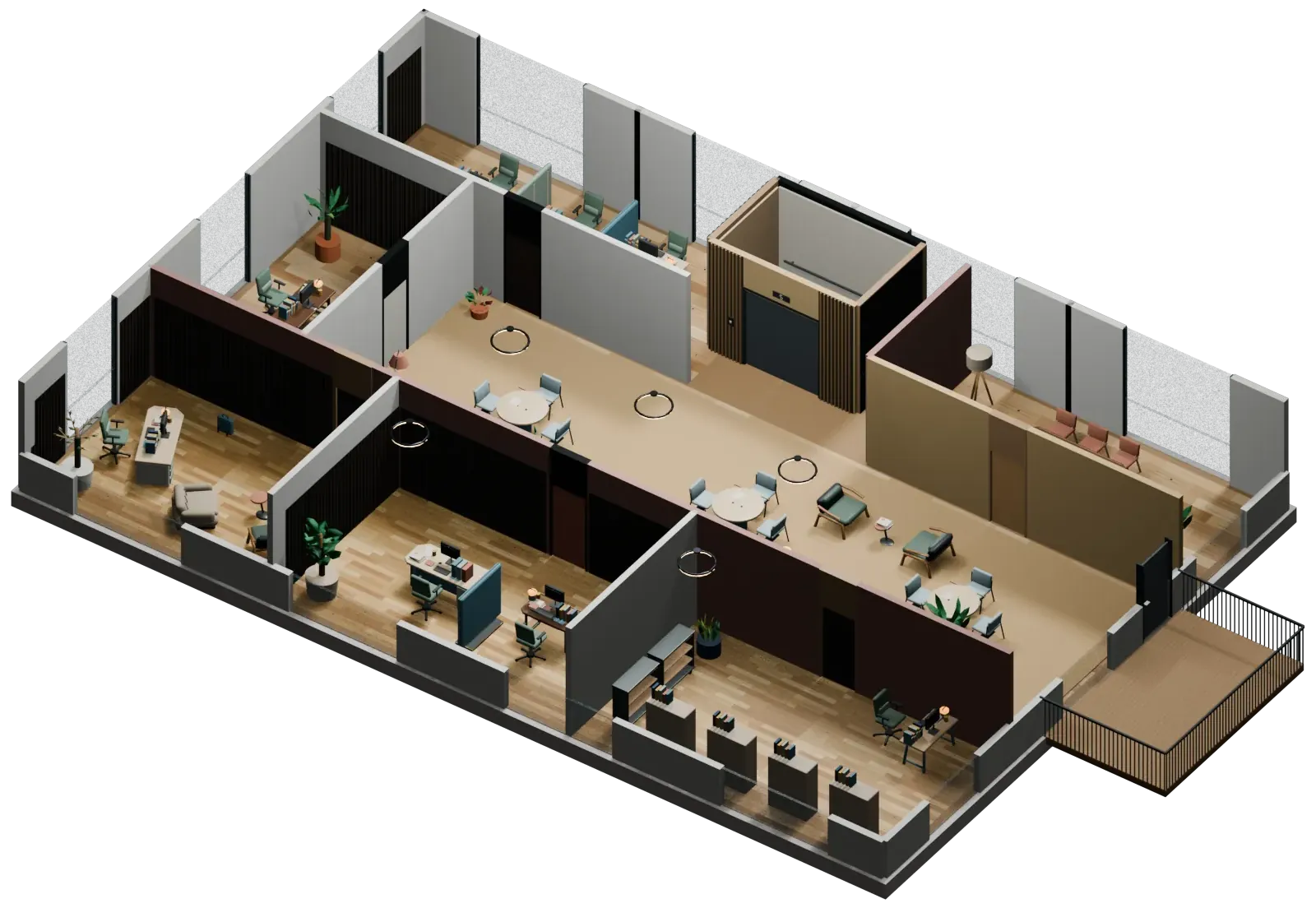
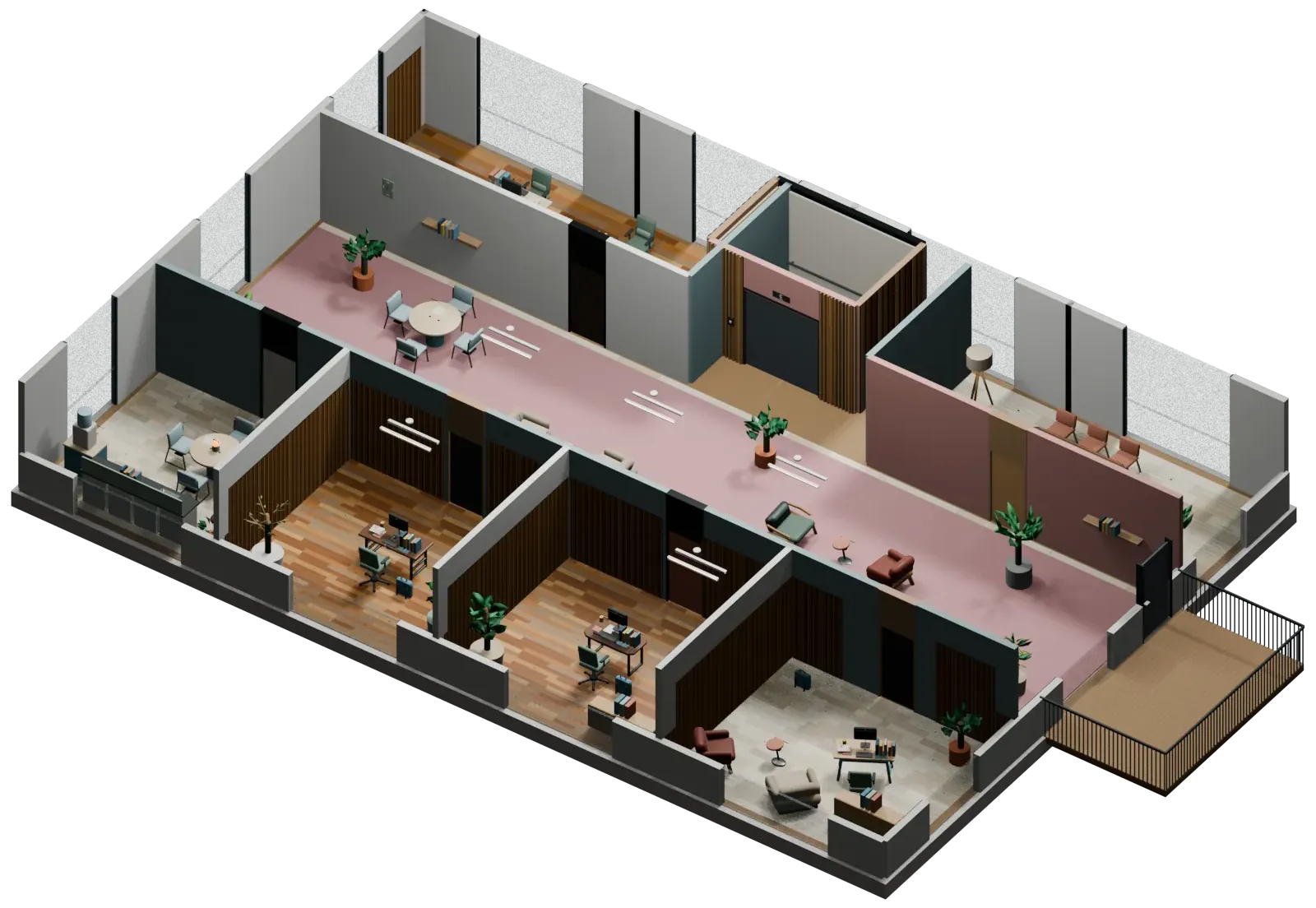
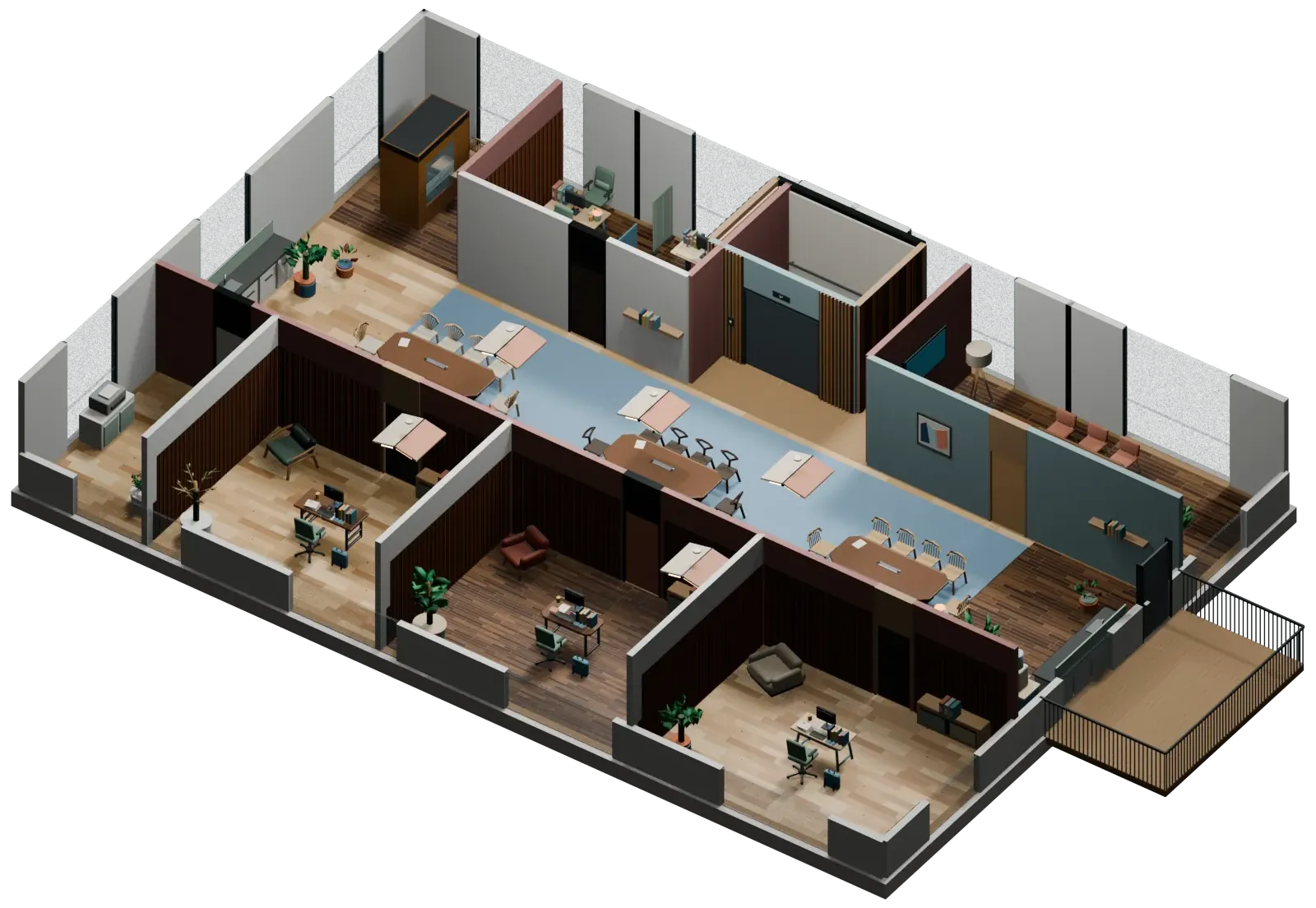
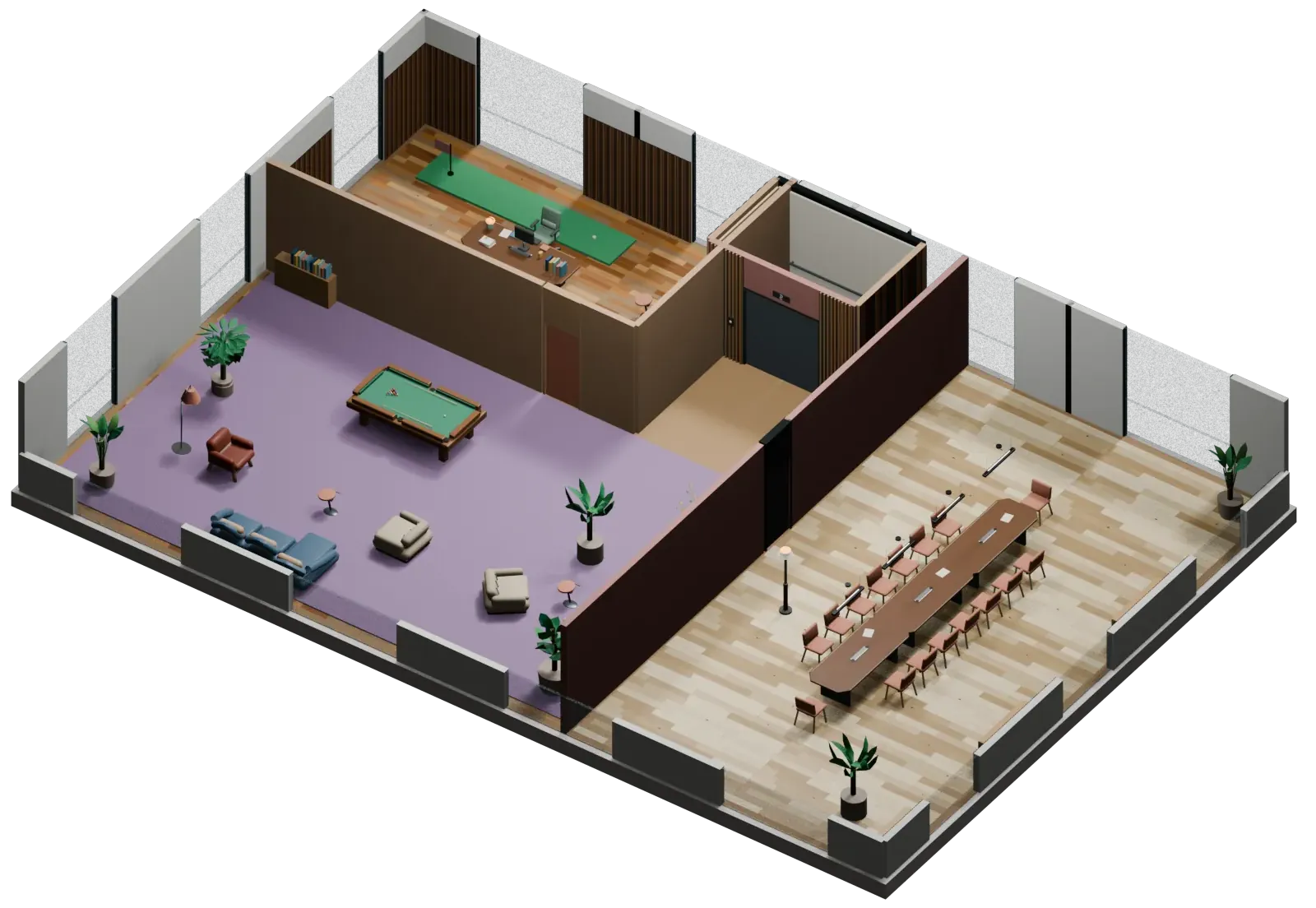
The building below is not an illustration: these are the actual rooms students walk through. Five floors, 34 rooms and 147 places for colleagues, modelled from the ground up so that each simulation can have exactly the workplace it needs.
- 05Management and socialLarge meeting room, the CEO’s office with a putting green, and a lounge corner with a billiard table.
- 04CollaborationOpen-plan office with a Teams pod, two kitchens, a meeting room and a balcony.
- 03ProjectsKitchen, shared area with a printer, a meeting room, four offices and a balcony.
- 02Operations and archiveArchive, dining area, a meeting room, four offices and a balcony.
- 01ReceptionLobby, a meeting room and five offices. This is where the student enters.
How we work.
Three principles underpin how we develop our simulations: a sound academic basis, realistic decision situations, and room for reflection, learning and research.
Academically grounded
The simulations build on realistic problems and established perspectives from organisation and leadership studies. We develop new simulations and update established simulation concepts, so that they reflect today’s academic, technological and organisational reality.
Purposefully designed colleagues (avatars)
Participants meet purposefully designed AI colleagues (non-player characters, or NPCs) with different information, different interests and different degrees of freedom to act. The information uncovered along the way becomes part of the basis for the decision — but no one necessarily has the whole picture.
A simulation tool
Blind spots are not flaws in the system but part of the reality the simulation recreates. The simulations have no answer key. The tool makes judgements, consequences and interaction visible, and can provide a basis for both learning and research.
FAQ
What educators most often ask. If you cannot find the answer, write to kontakt@virtualaicorp.no.
What does Virtual AI Corp actually do?
We make simulations in which your students walk around a virtual office and talk freely with AI-driven colleagues who have their own positions and blind spots. Students have to gather perspectives and make decisions — and all of it can serve as a basis for reflection and research afterwards.
Do students need their own account?
No. Students join your session with their name, student number and a join code you share in class — no registration, no app, everything runs in the browser.
Aren’t the AI colleagues’ answers pre-written?
No — that is the point. Each colleague is played by an AI model in real time, with a role, a position and knowledge that you, as the course responsible, decide. The student can ask about anything, and has to judge for themselves what is relevant, contradictory or incomplete.
What is stored, and what about privacy?
You decide for each session: the full conversation, only metadata about who talked to whom, or only the number of messages and characters. When joining, each student also answers yes or no to research use, and the answer accompanies every line in the export. The database is hosted in the EU.
Can I control the content myself?
Yes. In the tool, you describe the situation in your own words, and the AI suggests colleagues, personalities and what information each of them holds — which you edit field by field before anything reaches students.
How quickly can I get started?
Try the preview now, without an account. You can set up your own session in minutes: create a simulation, share the join code and follow along while students take part. We are happy to help the first time.
Does this replace my teaching?
No — it is a tool for it. The simulation gives students a shared, concrete experience to discuss; the reflection and the subject remain yours. Built with the NMBU School of Economics and Business.
Is it available in English?
Yes. The website and the tool are in English, and you choose the language for each session. A simulation you build can be written in English, and the AI colleagues then reply in English. The ready-made simulations are written in Norwegian; some of them can still be run with the pages around them in English. Spoken dialogue in English is on its way — for now the voices are Norwegian.